Add your business to ChatGPT: a step-by-step guide
You add your business to ChatGPT through the Business Hub and an identity check. I did it on 21 November 2026: here are the steps, who it pays off for and what not to expect (yet).
Lees in het Nederlands →
Everyone knows the Google Business Profile: you put your business on the map and people find your opening hours. You can now also add your business to ChatGPT, through the ChatGPT Business Hub at chatgpt.com/business-hub. I did it on 21 November 2026 for Vanoirbeek Consulting BV and took a screenshot of every step.
Short answer: go to the Business Hub, find or create your business, prove you control your domain with a TXT record and fill in category, contact details and policies. Then verify your identity through Persona. OpenAI approved mine the same afternoon, but by OpenAI's own account a profile does not guarantee that ChatGPT recommends you more often.
Status as of 22 November 2026. Below you'll find the steps, which types of business already get something out of it in Belgium and the Netherlands, and what is proven and what isn't. What was possible at launch is covered in my earlier piece Claim your business in ChatGPT: what works and what doesn't yet. This article is the practical guide.
What is a ChatGPT business profile?
With the Business Hub you claim your business in ChatGPT, provide business details and products, and see how people engage with it. That's how OpenAI describes it in its help article. You can claim a business if you own it or are authorised to represent it.
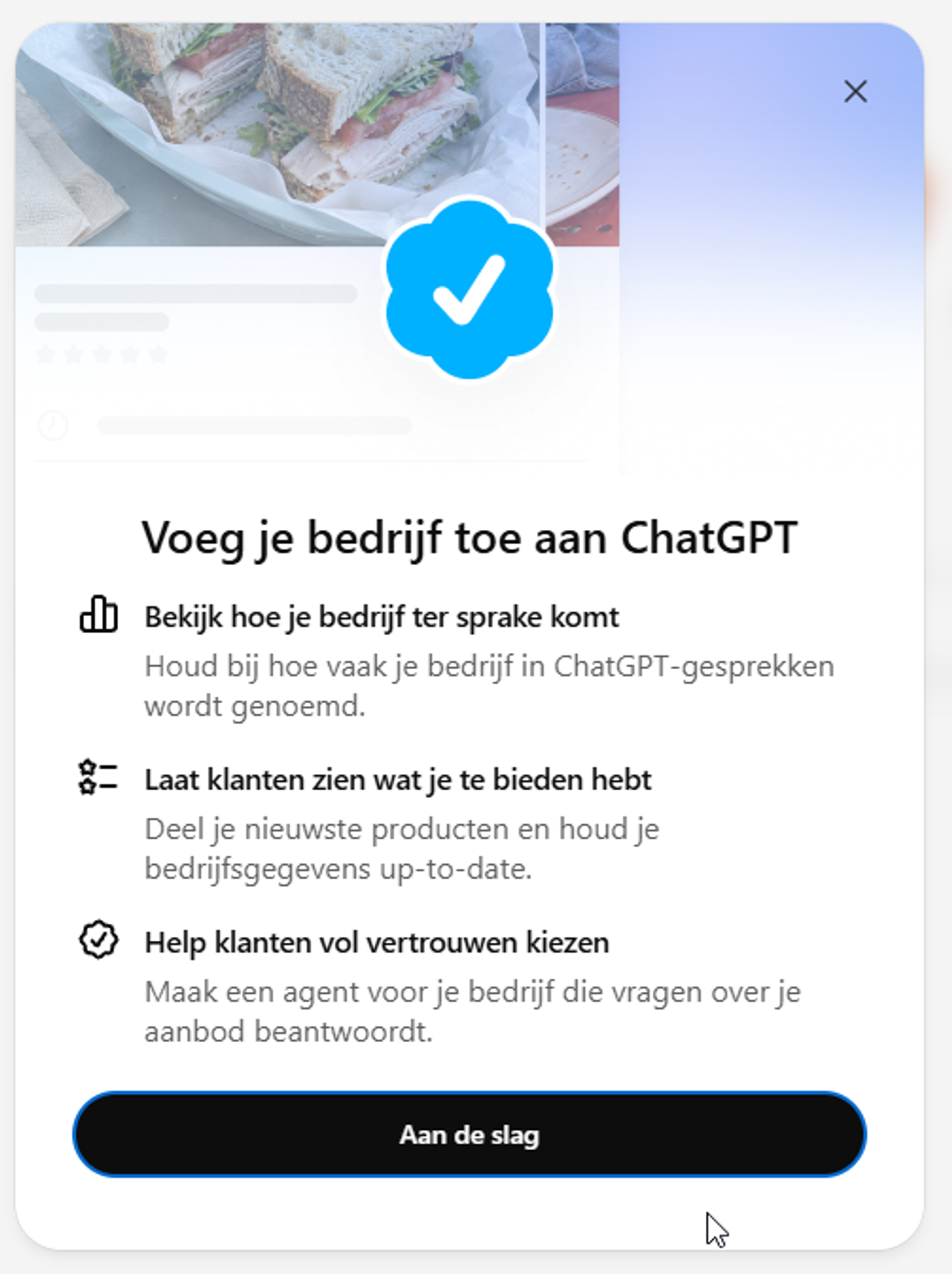
At the start ChatGPT promises three things: see how often your business is mentioned in conversations, keep your offer and details up to date, and an agent that answers questions about your offer. That agent is US-only for now; more on that below.
Add your business to ChatGPT: the steps
Step 1: find your business in the Business Hub
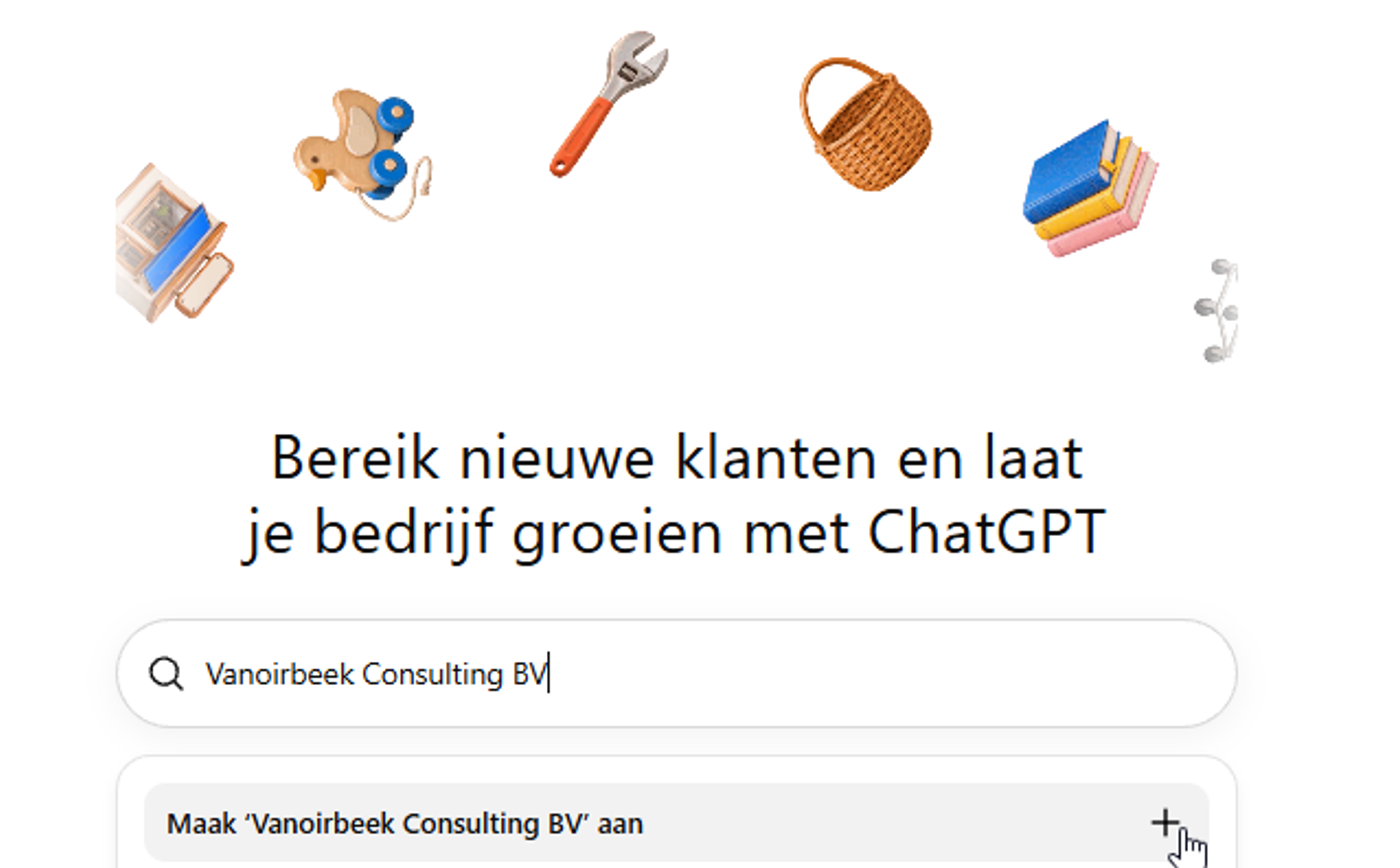
Go to chatgpt.com/business-hub (also reachable from the ChatGPT sidebar) and type your business name. If there's no listing yet, you get the option to create it. ChatGPT then shows what you can do with it and you click Get started.
Step 2: prove you control your domain
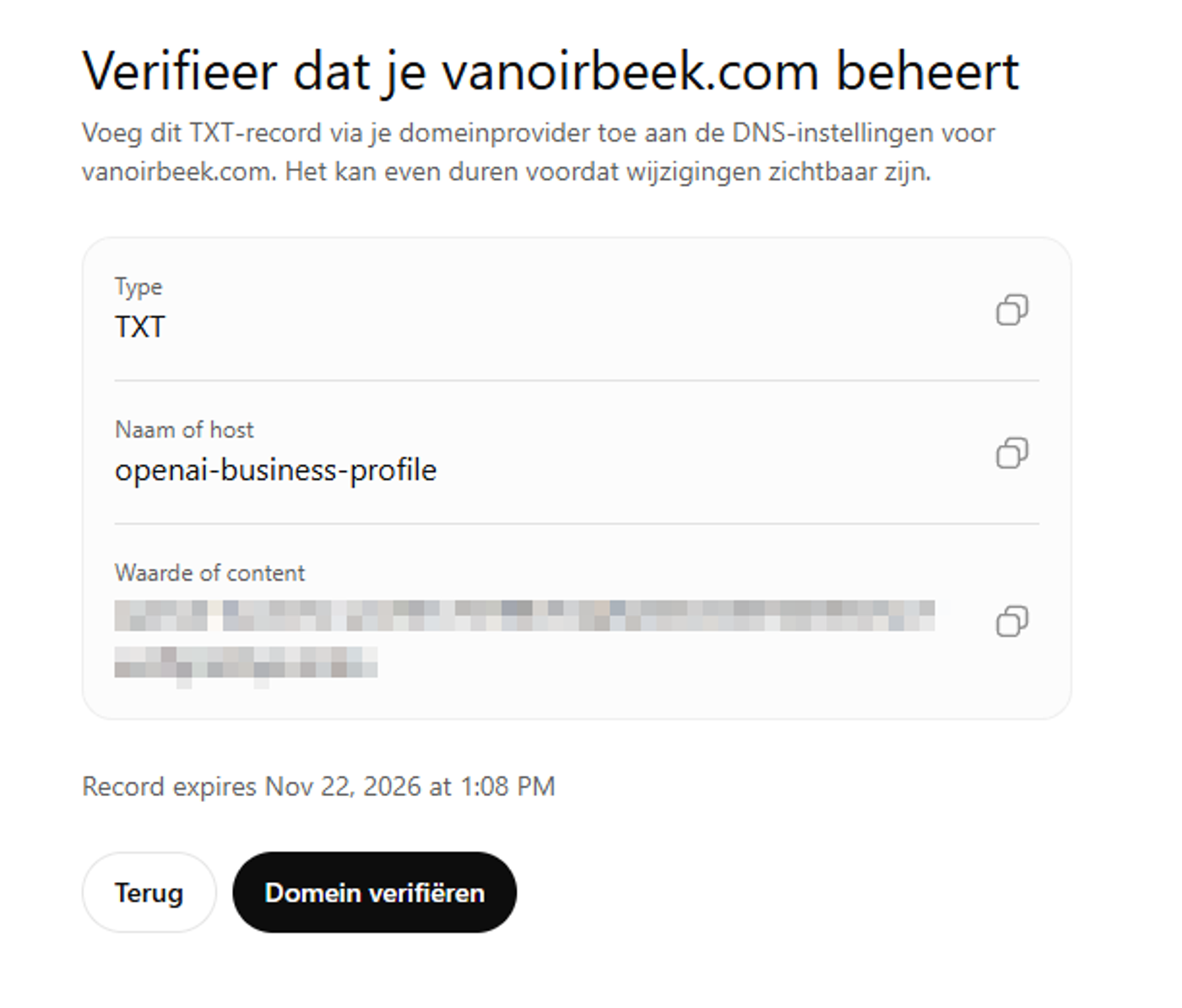
OpenAI asks you to add a TXT record to your website's DNS settings, with openai-business-profile as name or host and a unique value. You do that in your domain provider's control panel, then click Verify domain.
Watch out: the record expires. My screen showed an expiry about a day later, and DNS changes can take a while. According to OpenAI, depending on your business you can also verify by phone, business email or Shopify. I was asked for the domain.
Step 3: pick a category and describe your business
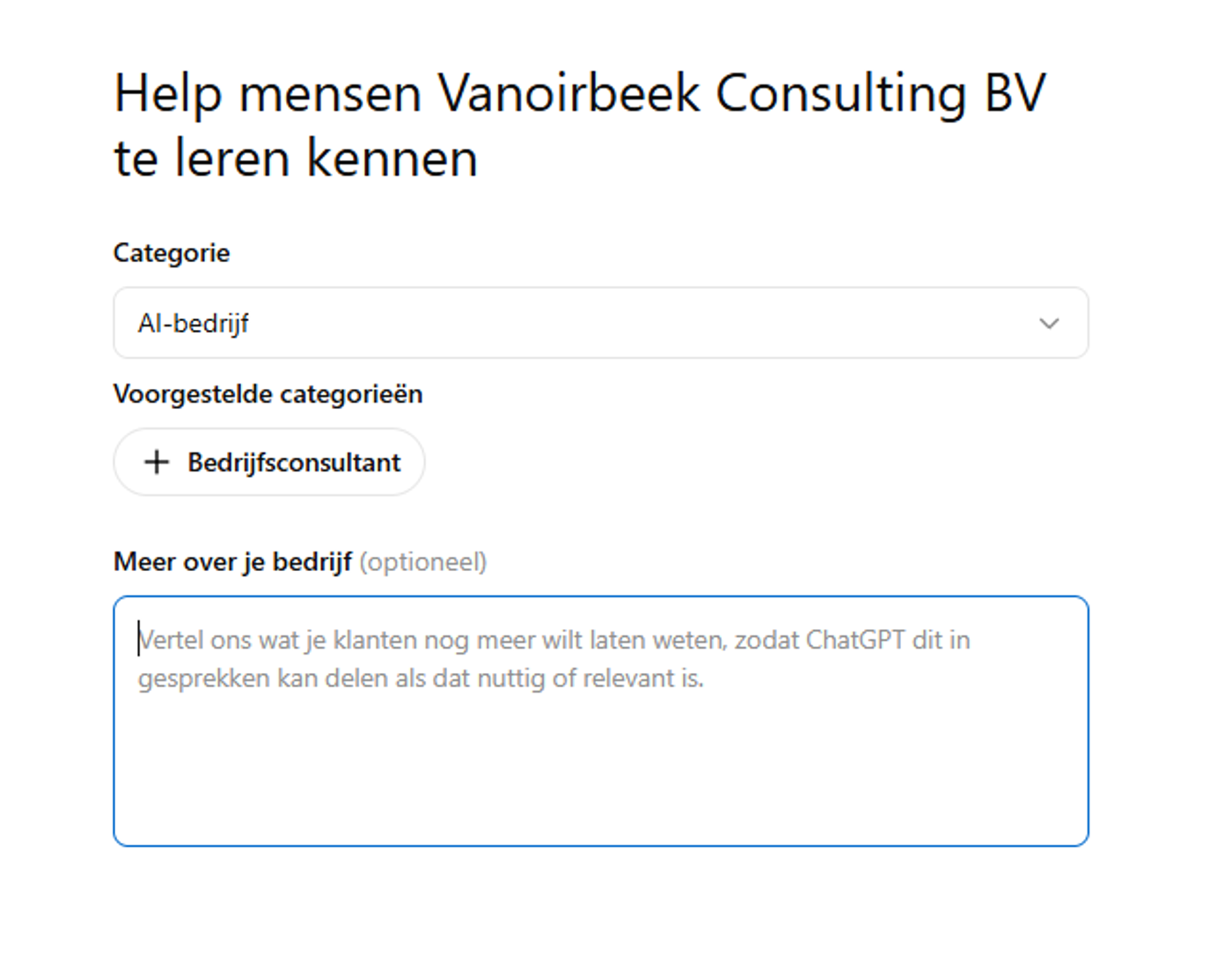
I chose AI company; ChatGPT also suggested Business consultant. The 'More about your business' box is optional, but fill it in: ChatGPT says it may share that information in conversations when it's useful. Write in plain sentences who you are, what you do and where.
Step 4: add your contact details
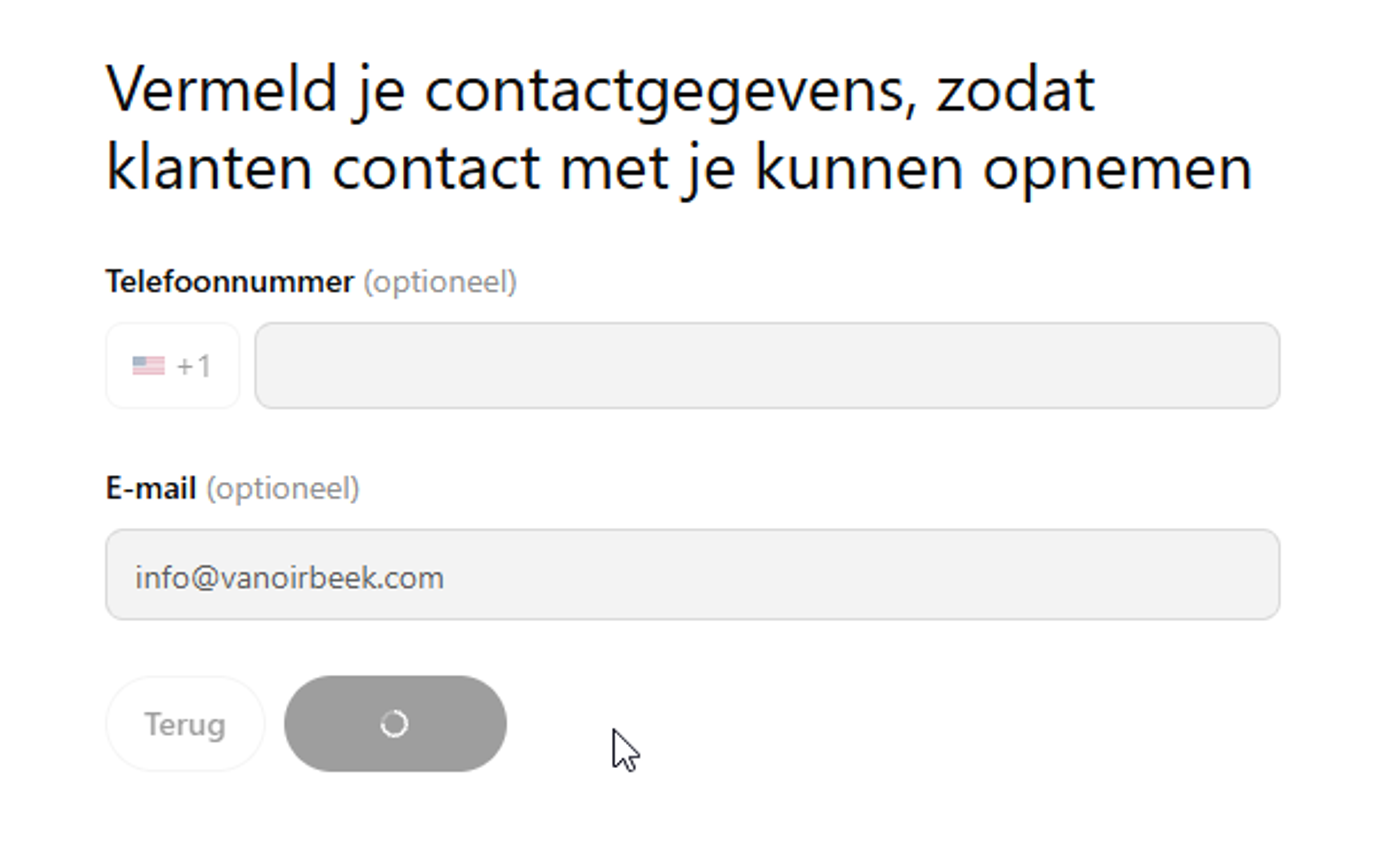
Phone and email are optional. Note that the country code defaults to +1 (United States). Change it to +32 or +31 before typing your number.
Step 5: delivery and return policy
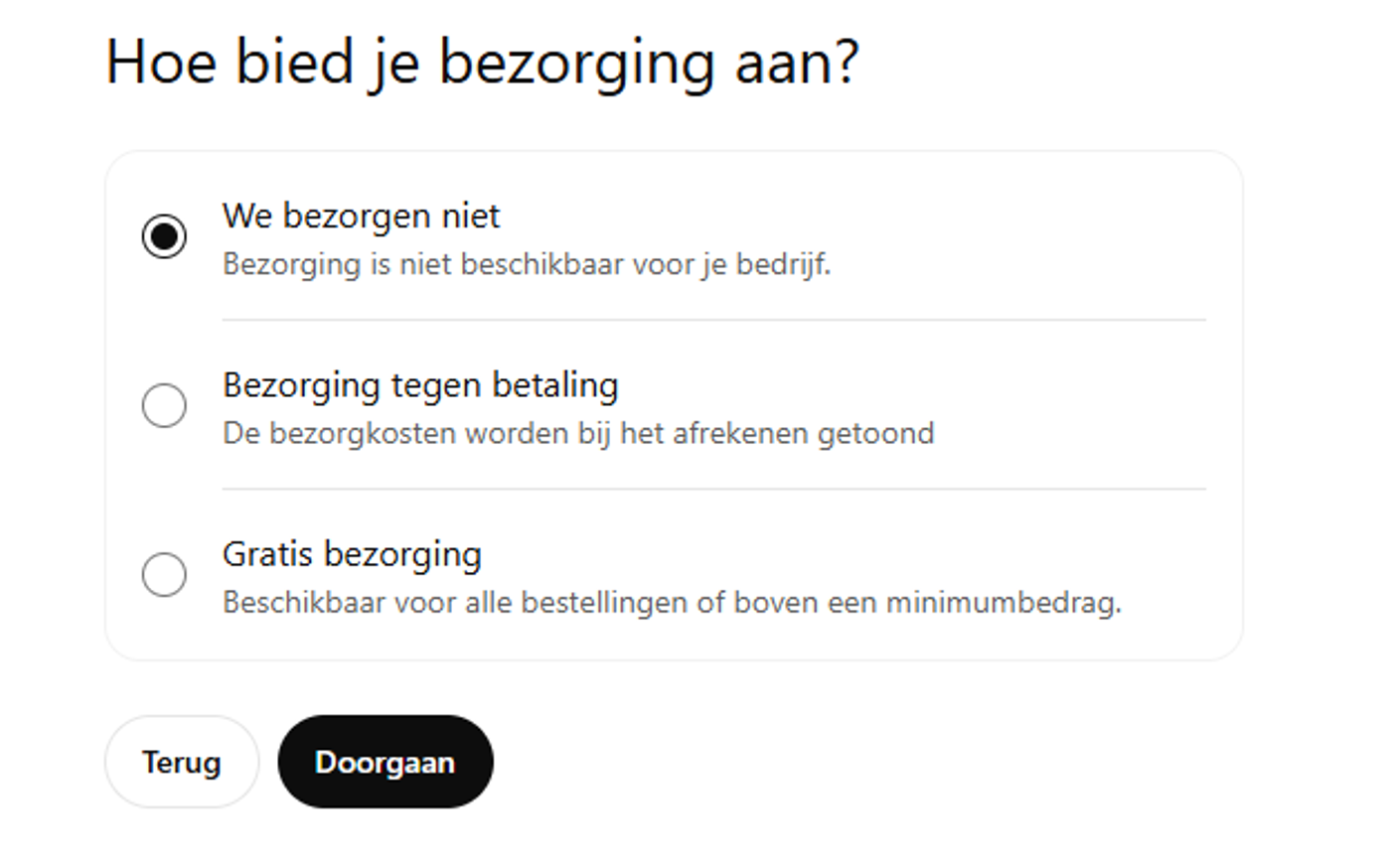
Next, ChatGPT asks how you deliver (not at all, paid or free) and what your return policy is. As a service provider I chose 'We don't deliver'. If you run a webshop, enter exactly what your own site says.
Step 6: your profile is saved as a draft
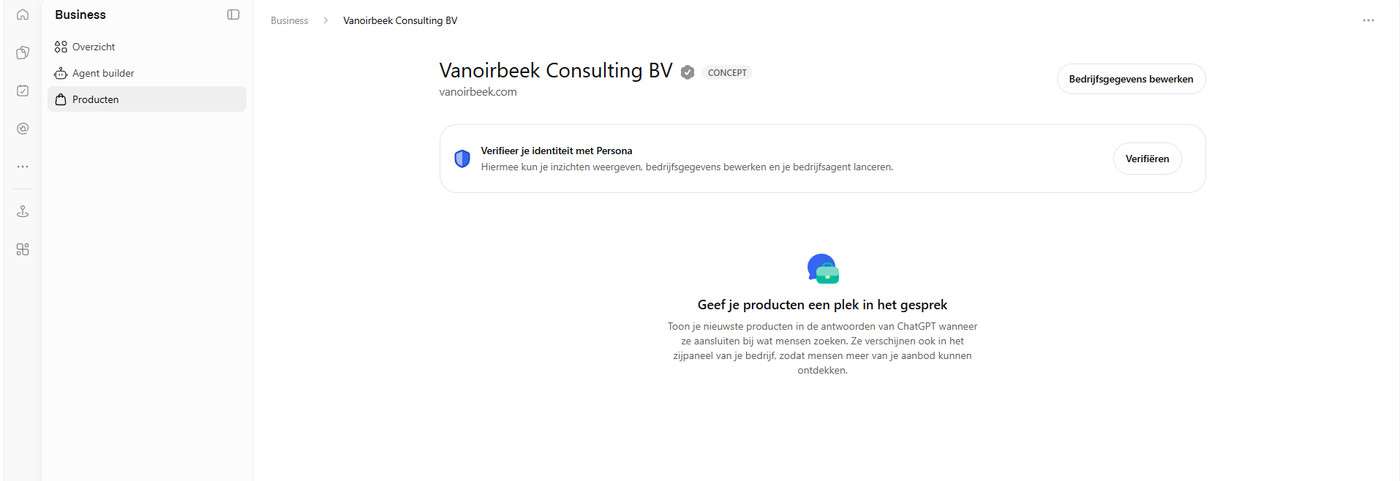
After these steps your profile is saved as a draft. The final screen offered me three things: manage your business, '$500 in ad credit' for ChatGPT ads, and an upgrade to a ChatGPT Business subscription.
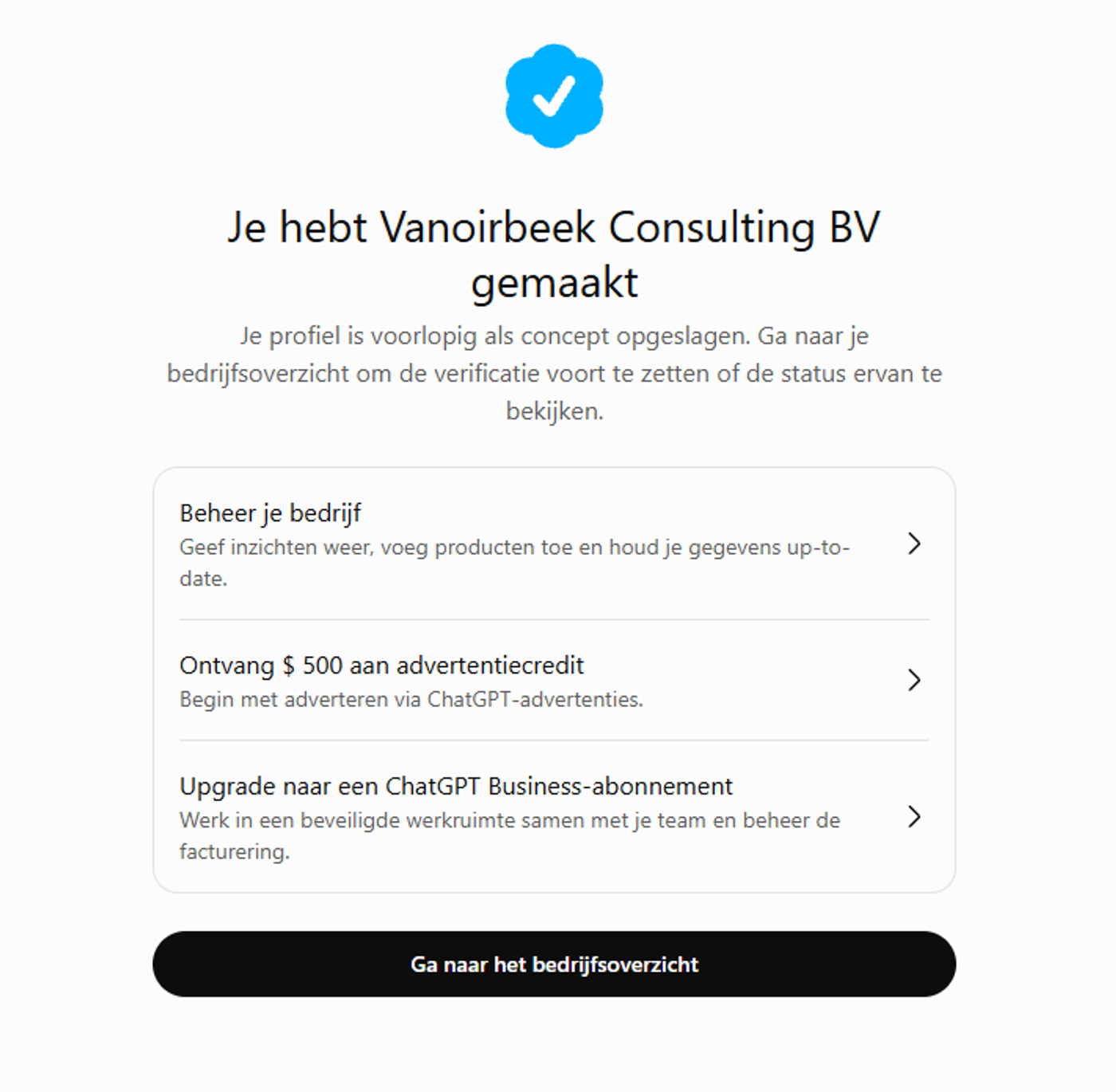
About that $500: the OpenAI pages I read list no terms. Afterwards I couldn't find the offer again in the business overview. If you're interested, click it right away.
Step 7: verify your identity with Persona
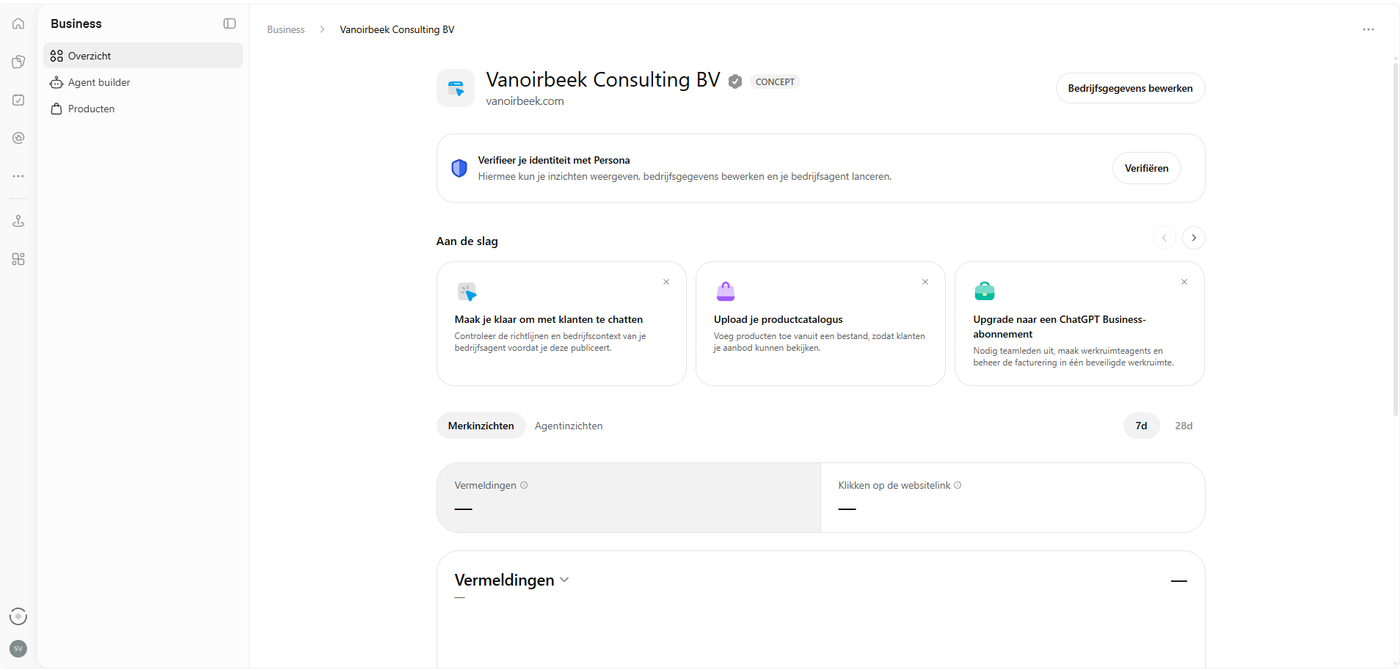
The business overview shows your profile labelled DRAFT, the Overview, Agent builder and Products menus, and a bar to verify your identity with Persona. According to OpenAI, without that verification you can't publish changes, view insights, connect a product feed or create an agent.
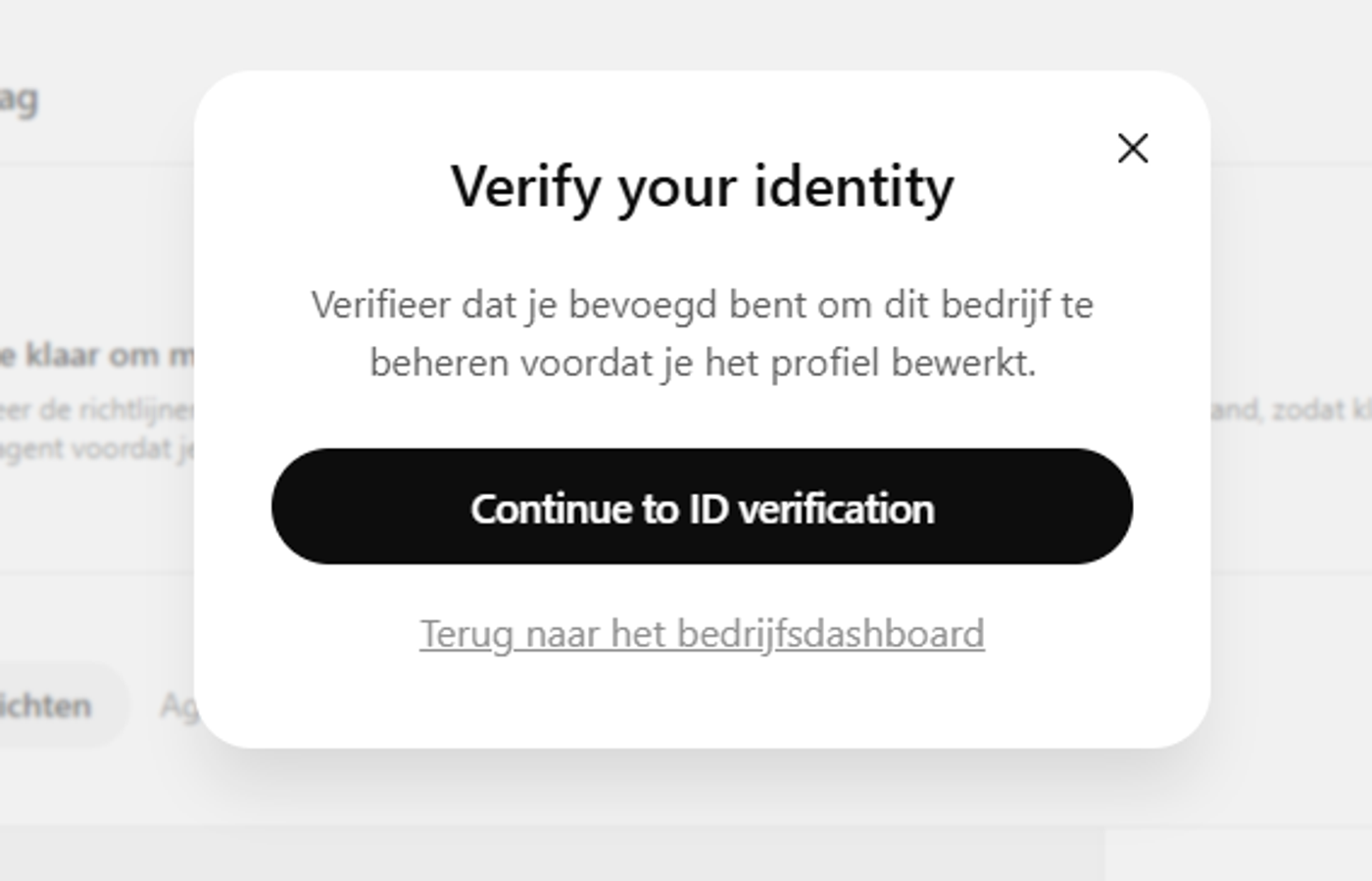
Persona asks you to scan your ID card (you can do that with your phone) and enter your business details. OpenAI notes it may also ask for proof that you're authorised to represent the business. Your application then goes into review.
Step 8: wait for approval
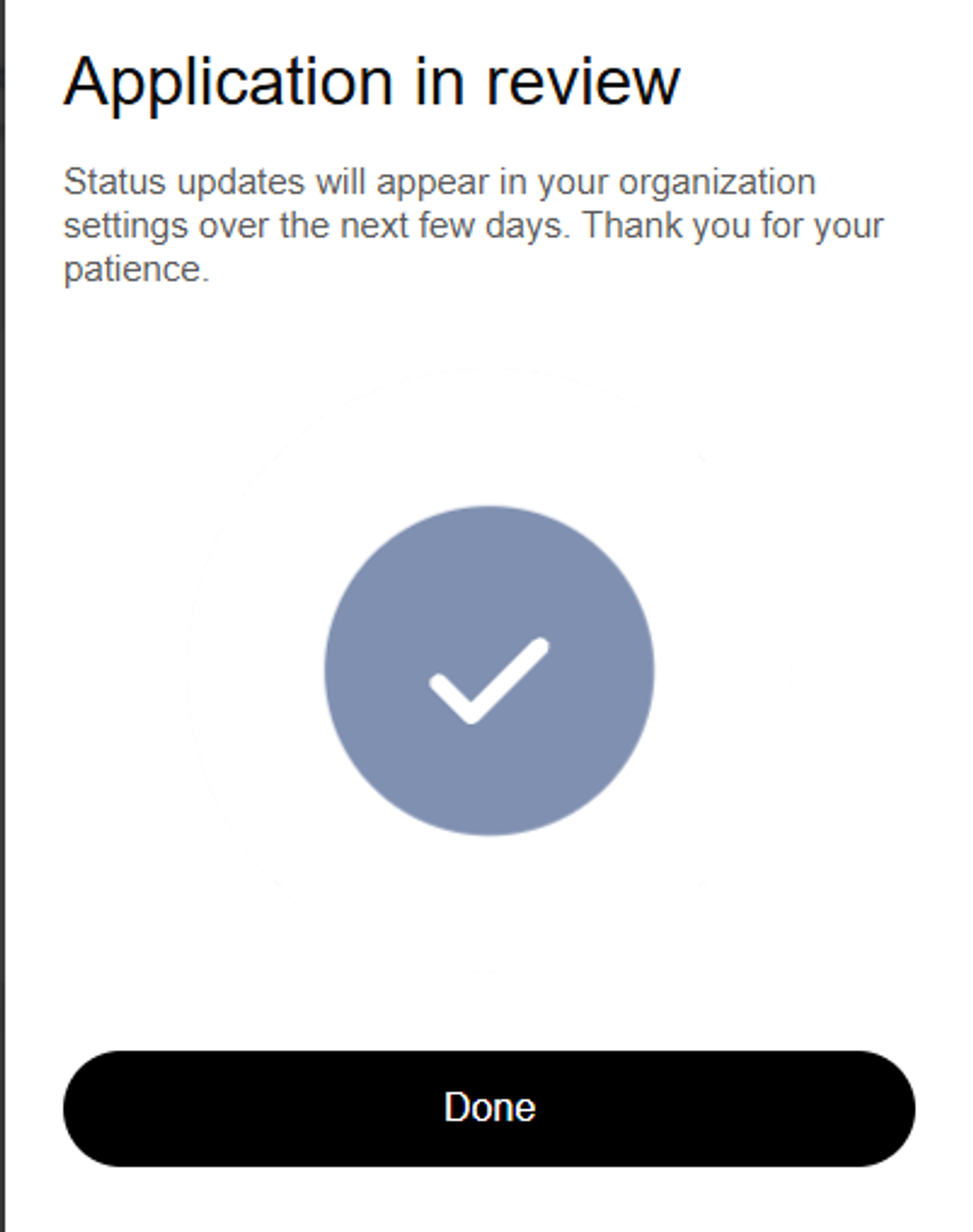
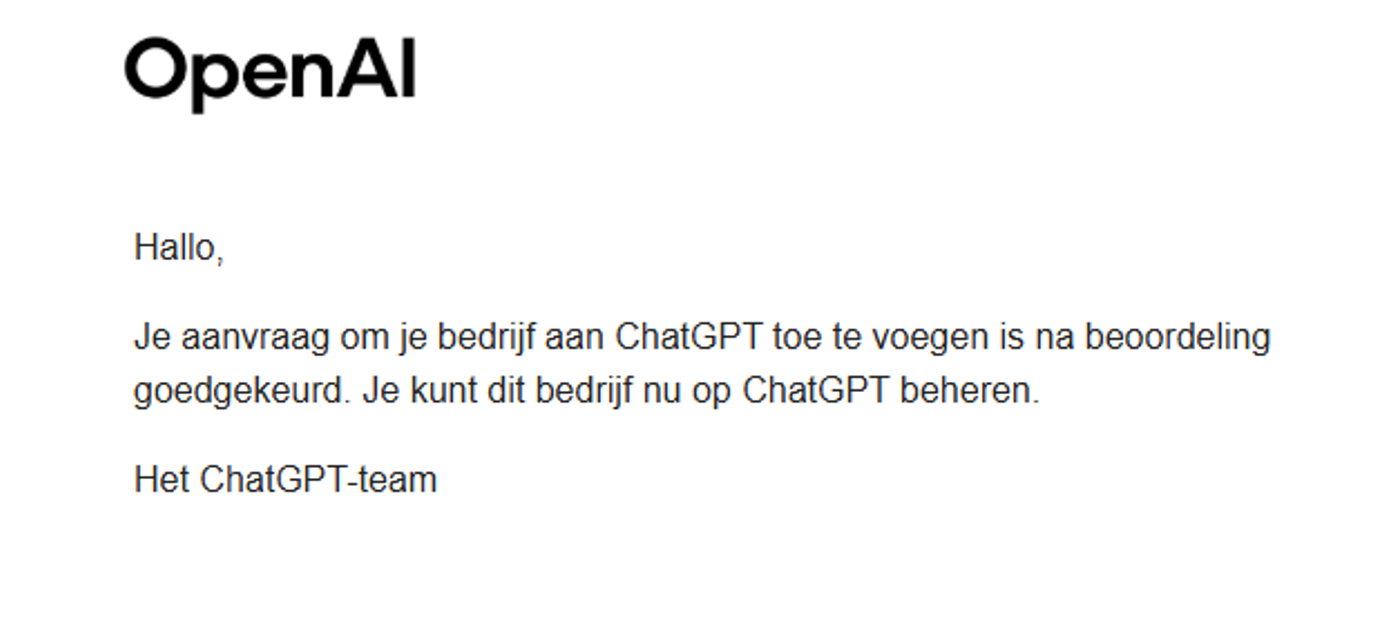
Persona says the status will appear 'over the next few days'. My approval email from OpenAI arrived the same afternoon: the request was approved and I could manage the business in ChatGPT. According to OpenAI, the blue check only appears after that approval; claiming alone doesn't give it.
What you see after approval is for a follow-up article, once there are numbers.
Who is a ChatGPT business profile for?
Honesty first: what works in the US doesn't always work here yet. Here's how it looks per type of business.
Restaurants and cafés
Opening hours, menus and bookings are exactly what people ask ChatGPT ('where can I eat in Leuven tonight?'). But OpenAI currently says local stores and restaurants can only claim an existing US listing. I found no fields for a menu or reservations in the documentation. So make sure your hours and menu are right on your own website: ChatGPT uses other sources too.
Shops and webshops
This is where most of the value is. Under Products you upload a product catalogue: a CSV following OpenAI's spec, a feed URL or your Shopify store. According to ChatGPT your products can then appear in answers and in your business's side panel. Checkout still happens on your own site: a business agent explains products and policies and sends customers on. And that agent is limited to ecommerce and online services in the US for now.
Local service providers: hairdresser, plumber, garage
What matters for you is correct contact details and a clear description of what you do and where. OpenAI says claiming is initially open to businesses with a website. I did it as a Belgian company with a website and it worked. Whether OpenAI treats a hair salon as a local business (and so doesn't admit it yet) isn't clearly described anywhere. Trying costs you little.
B2B service providers like Vanoirbeek Consulting
For us it's about being visible in ChatGPT and knowing how often we're mentioned. Insights show mentions and website link clicks over 7 or 28 days. Note how OpenAI counts: for an online business a mention only counts when ChatGPT references your website. Your brand name alone doesn't count, and you never see individual prompts or conversations.
What does it deliver? Proven versus unknown
Proven, according to OpenAI and what I saw myself
- You manage what you provide: description, category, logo, delivery and return policy.
- After Persona verification you get a blue check and insights for the last 28 days: mentions, clicks and topics.
- You don't need an ads account or a ChatGPT Enterprise agreement to claim.
- Advertising doesn't influence ChatGPT's independent answers, OpenAI says.
- My approval on 21 November 2026 came the same afternoon as the application.
Unknown: what nobody knows yet
Whether ChatGPT mentions you more often with a profile, nobody knows. OpenAI itself says claiming doesn't guarantee more visibility or give you control over its recommendations. It does seem logical that correct details reduce the chance of ChatGPT telling something wrong about you. Whether a business agent brings in customers can't be measured in Belgium or the Netherlands yet: it isn't available here.
ChatGPT business profile versus Google Business Profile
- Same: you claim your business, prove it's yours and manage your own details.
- Google: you appear on Maps and in search results, with reviews, photos and opening hours. For local businesses in Belgium and the Netherlands it has worked for years.
- ChatGPT: no fixed spot in a list; ChatGPT decides in every conversation what to mention. You do see how often it references your website.
- Reach: local listings in ChatGPT are US-only for now; businesses with a website can already claim.
For a local business the Google Business Profile remains the most important one for now. The ChatGPT profile comes on top; it replaces nothing.
Doing more to be found in ChatGPT
A profile is only one source. OpenAI says ChatGPT also uses other sources to answer questions about businesses. If you want AI to find you, this helps:
- State on your own website, in plain sentences, who you are, what you do, for whom and where.
- Keep opening hours, prices and contact details identical and current everywhere.
- Use structured data (schema.org) on your site so machines read your details correctly.
- Get mentions and reviews on other sites: Google, directories, industry sites.
- Write explanations that answer your customers' questions. That's where AI assistants get their answers.
My take
Do it. It's quick, I paid nothing for it, and you decide which details ChatGPT gets about your business. On top of that you get numbers about mentions that you can't find anywhere else.
Just don't expect miracles. OpenAI itself promises no extra visibility, and the most interesting features (the business agent and local listings) are US-only for now. Run a webshop? Look at the product catalogue first. Run a restaurant or hair salon? Get your Google Business Profile and website in order.
I'll follow the numbers of our own profile over the coming weeks and write a follow-up once there's something to measure. 😉
Frequently asked questions
Is adding your business to ChatGPT free?
I paid nothing, and OpenAI's help article lists no price for claiming. Advertising and a ChatGPT Business subscription are separate.
Can you claim your business in ChatGPT in Belgium or the Netherlands?
For a business with a website, yes: I did it as a Belgian company. According to OpenAI, local stores and restaurants can only claim an existing US listing for now, and the business agent is US-only.
How long does verification take?
OpenAI gives no timeframe. Persona mentioned 'the next few days', but my approval came the same afternoon. The TXT record for your domain expires after about a day.
Do I need ChatGPT Business?
OpenAI says you don't need an ads account or a ChatGPT Enterprise agreement to claim. A Business subscription was offered to me as an upgrade, not as a requirement.
Does it work for a restaurant or webshop?
Partly for a webshop: you can upload a product catalogue, but checkout happens on your own site. For a restaurant in Belgium or the Netherlands, not yet as a local listing.
Will ChatGPT recommend me more often?
OpenAI doesn't promise that: claiming doesn't guarantee higher placement or more sales. You do see in the insights how often ChatGPT references your website.
Sources
- OpenAI Help Center: Setting up your business on ChatGPT (read on 22 November 2026)
- OpenAI: Businesses in ChatGPT
- OpenAI: Business Agents Policy (updated 10 November 2026)
- ChatGPT Business Hub
- Own screenshots taken on 21 November 2026
More from this zone

Claude Fable 5.2: what's new in Anthropic's most powerful model?
Anthropic launched Claude Fable 5.2 on 9 November 2026: faster, cheaper and stronger at code, research and long agent tasks. What's new, and who is it worth it for?
Discover the invisible: optimise your website with Microsoft Clarity
Everyone has heard of Google Analytics at some point. It shows you who visits your website, from which region, which pages are popular, which aren’t and much more. It’s a great tool, but it can also be complex.